Calories that follow your lifting.
Log your food, log your lifts, and your calorie and protein targets move with your training. Built for iPhone.
Coming to the App Store for iPhone. Free to use, account optional. Questions: jluo6200@gmail.com
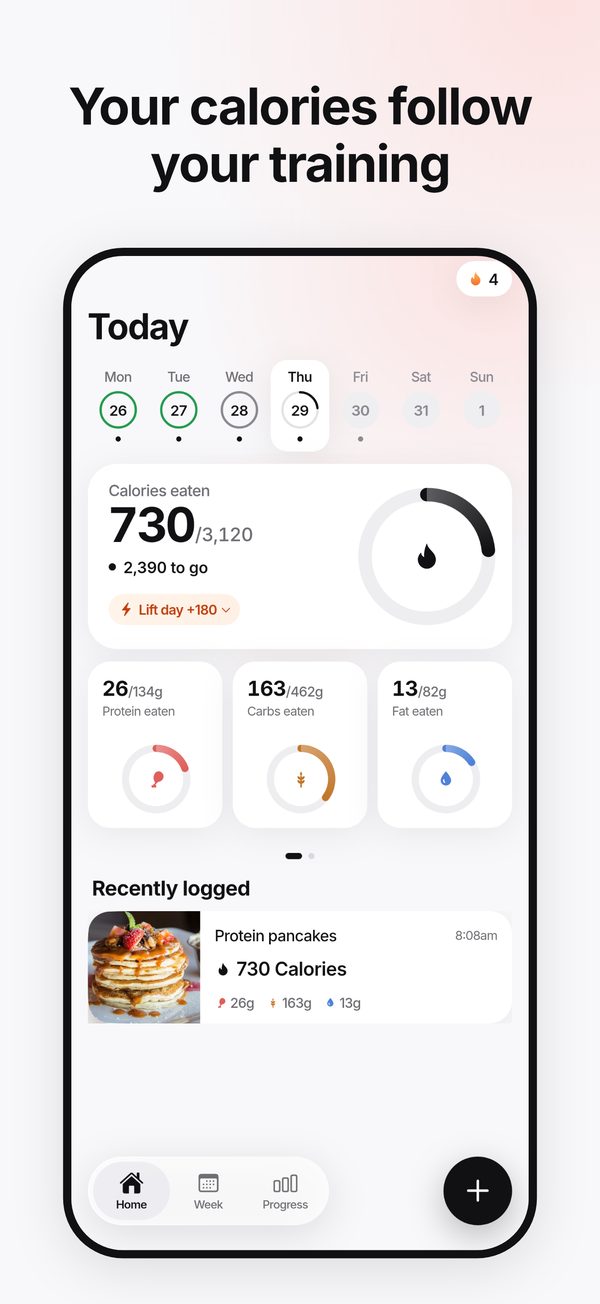
Everything in one calm app
Food, lifting and progress, with targets that adjust to the week you actually have.
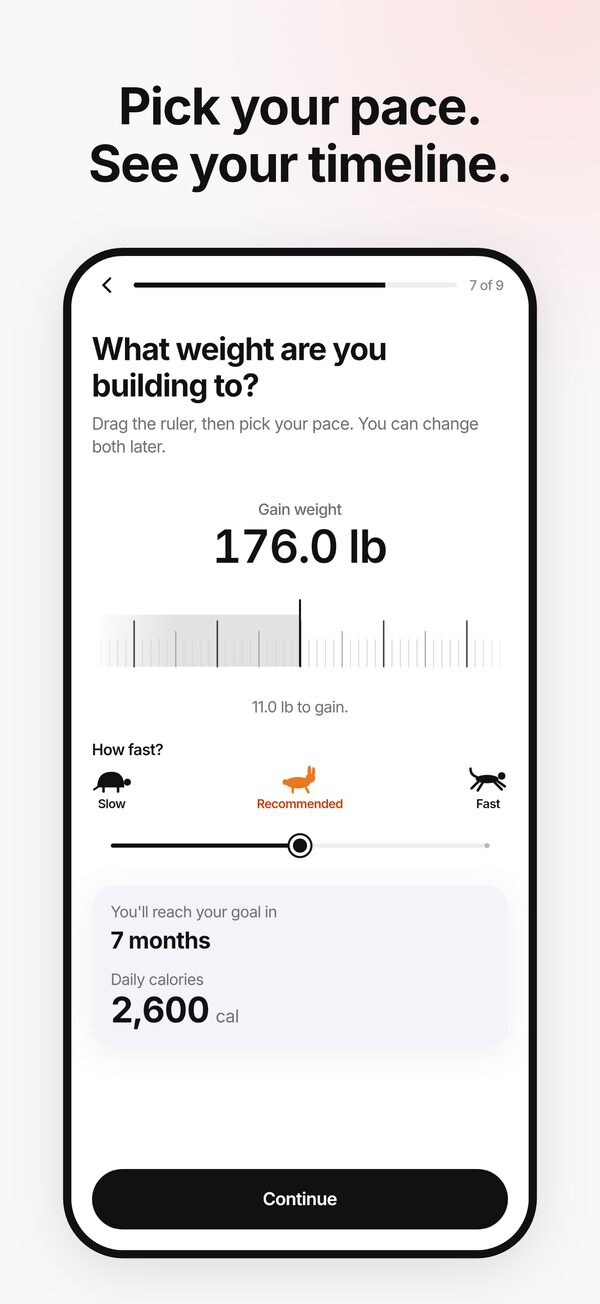
A plan built around your training
Set your weight and goal with a ruler, pick a pace and see the months to goal. Lift days and rest days get their own targets, with the reason for every number.
Fast food logging
Search foods, look up barcodes, adjust portions, build recipes, add your own, or re-log a recent meal in one tap.
A lifting log that spots PRs
Log sets on a fast wheel, get a banner and a medal when you beat a best, and a rest timer that starts itself.
Progress you can read
A weight trend that draws itself, calorie trend, protein streaks and lift-versus-rest insights, without the daily noise.
Photo and text logging
Snap a meal or describe it, then review the estimate before you save. Sent for an AI estimate only after you allow it. Estimates, not measurements.
Private by design
No sign-up needed. Your log stays on your iPhone unless you ask for an AI estimate, look up a food, or turn on the backup, with export and delete in Settings. Dark mode and large text supported.
Questions or feedback?
Email jluo6200@gmail.com. A real person reads every message.
Questions
Short answers. More in the privacy policy and terms.
Is Vimly free?
Yes. Food logging, your plan, lifting and progress are free, and an account is optional. A paid tier with photo and text logging may come later; if it does, the price is shown before you pay and you can cancel any time in your iPhone's Settings.
How is it different from other calorie apps?
Vimly is built for people who lift. Your calorie and protein targets are higher on lift days and ease on rest days, and they learn from your real weight trend. Lifting is tracked in the same app, so food and training live together.
Does it need an account?
No. Signing in with Apple is optional and only backs up your log so you can restore it on a new phone. Without it, your data stays on your iPhone, and you can export it or delete it from Settings at any time.
Can I log food from a photo?
Yes. Tap +, snap a meal or describe it, and Vimly estimates the foods, calories and protein; everyday foods use USDA numbers, and you review and adjust every number before saving. Only after you allow it, the photo or description is sent through OpenRouter to Anthropic's Claude for the estimate, and Vimly's service does not keep it after replying; the photo saved with your meal stays on your iPhone. These are estimates, not measurements. For packaged food, scan its barcode or search foods from the + button.
Is it medical advice?
No. Vimly gives general estimates for adults without medical conditions. Talk to a doctor before changing how you eat or train. Vimly is for ages 13 and up.
Does it use Apple Health?
Only if you turn it on in Settings. Vimly then reads your workouts and active energy to show what you burn and your net calories, and to spot lift days. It never writes to Health, and what it reads stays on your iPhone.
Which iPhones does it work on?
iPhones on a current iOS release. The exact minimum is listed on the App Store page at launch.
How do I get help?
Email jluo6200@gmail.com, or see the support page.